
Captions that light up word by word
Wordglint adds animated captions to your talking videos. It transcribes your speech right on your Mac, so your videos never leave it.
Free to try. For Macs with Apple silicon, macOS 14 or later.
The iPhone app is coming soon.
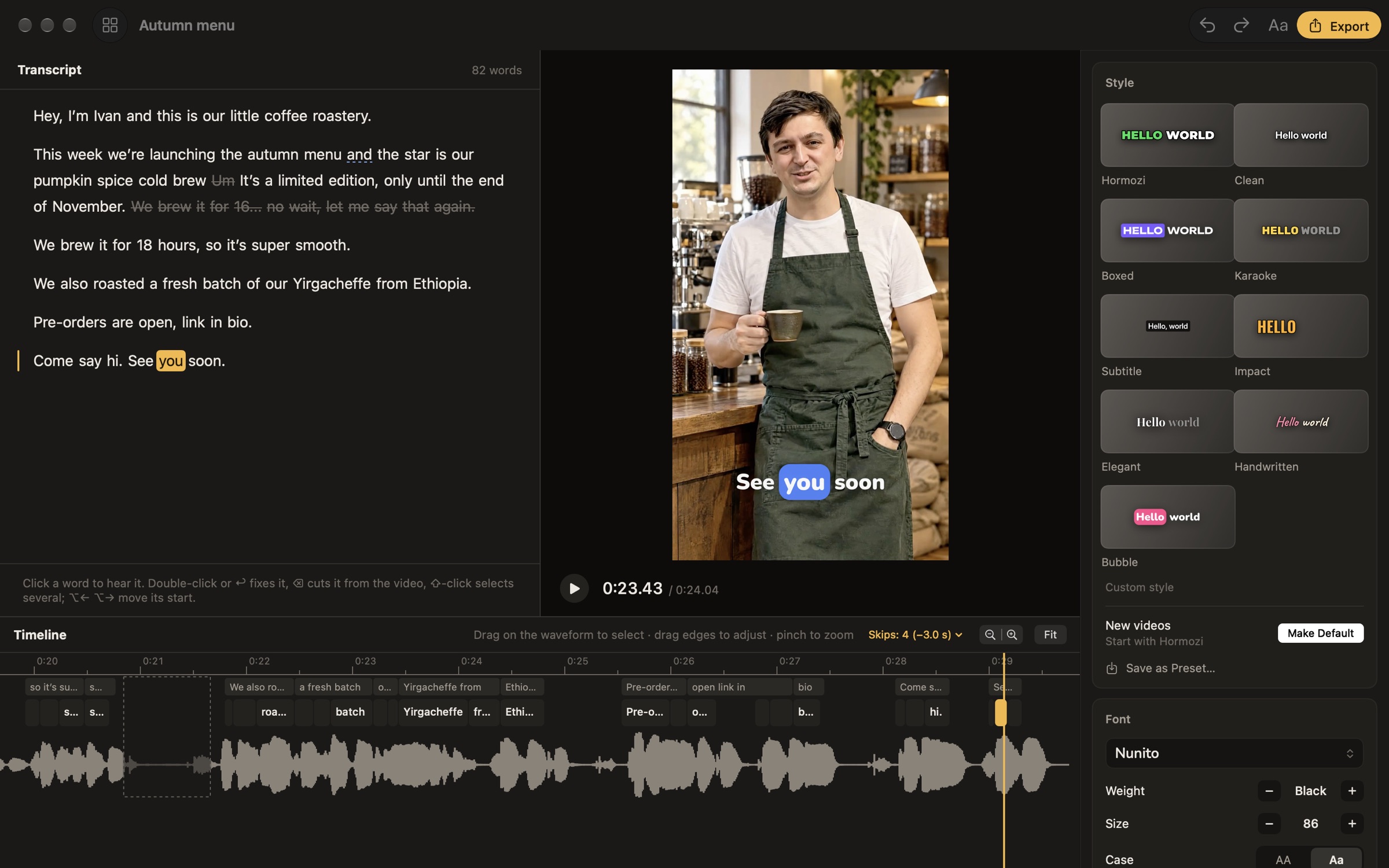
Fix any word in a click
Click a word to hear it, then type the fix. If a word lands a little early or late, nudge its timing on the timeline.
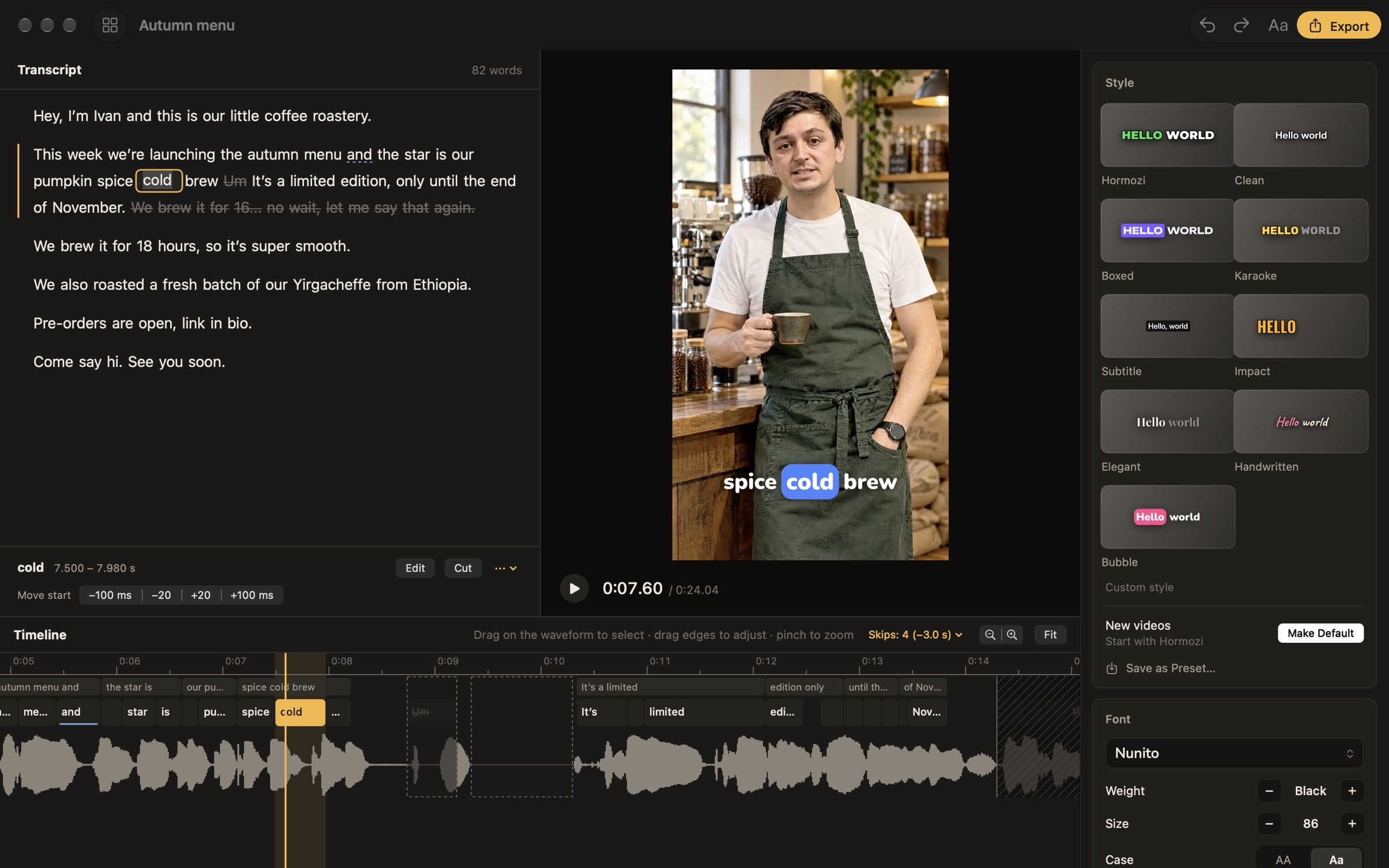
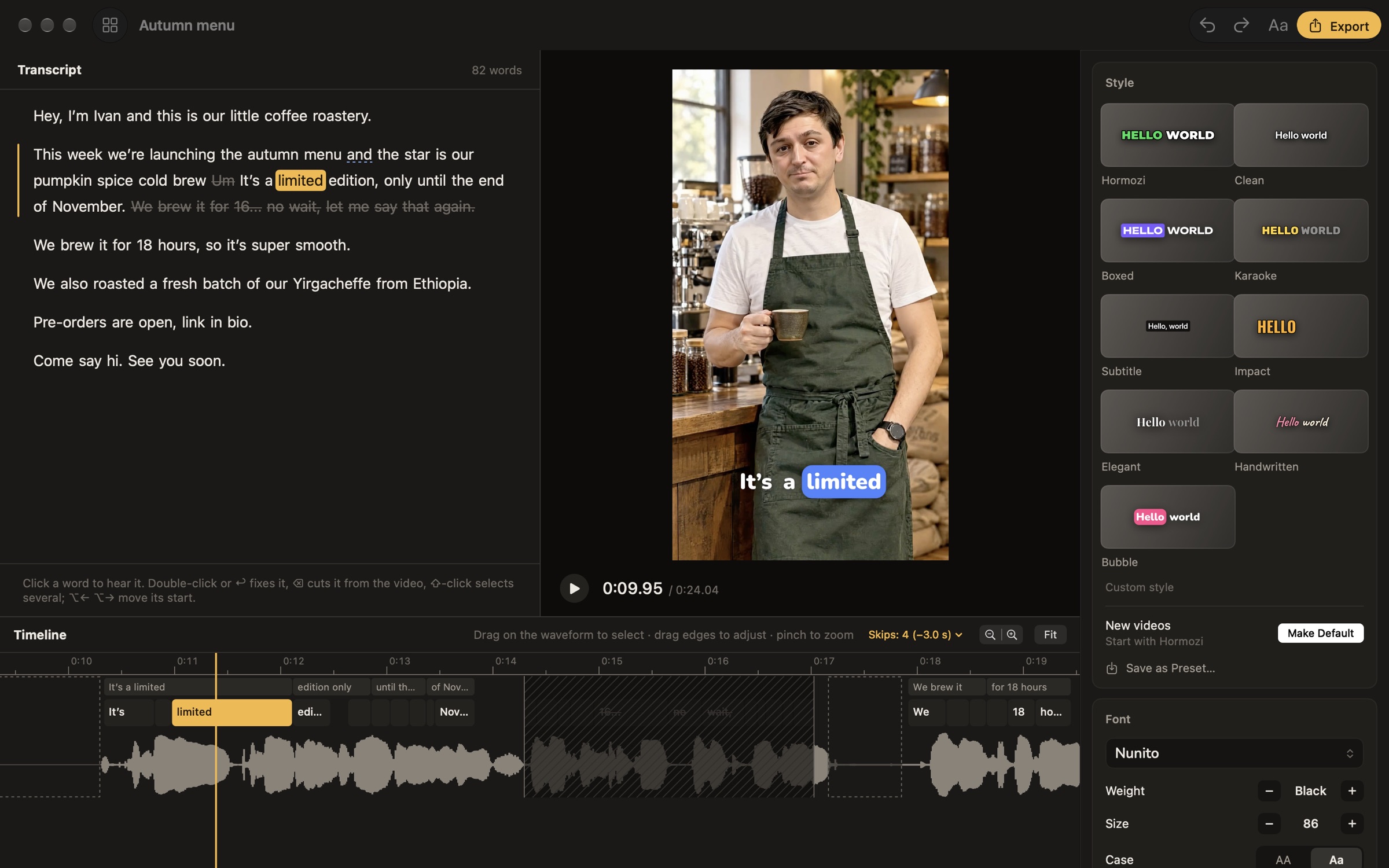
Cut retakes and long pauses
Select the words of a false start and cut them from the video. Long pauses and filler sounds like “um” are found for you and skipped; keep the ones you like.
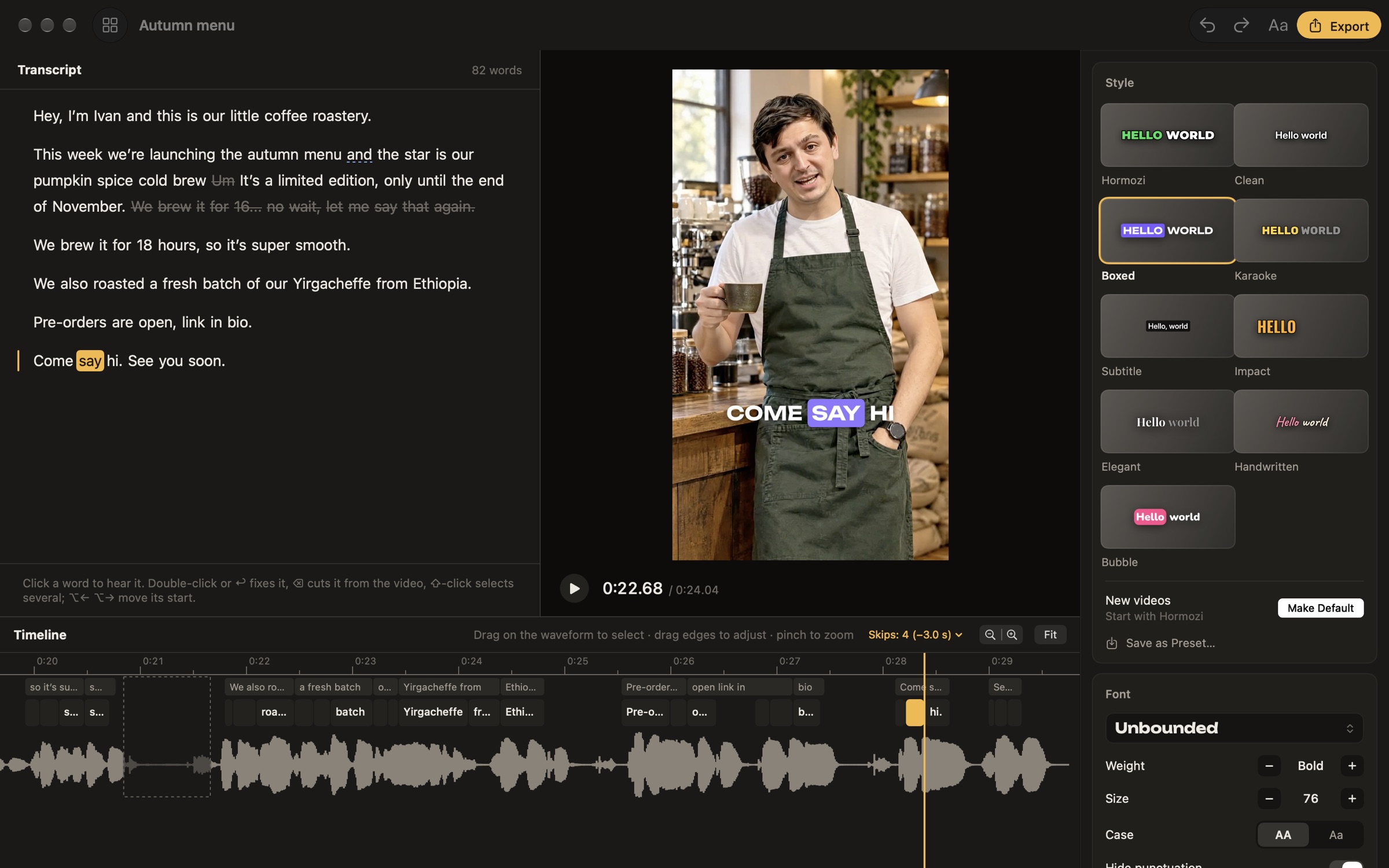
Nine styles, or your own
Bold pop, karaoke, subtitles, an elegant serif, handwriting and more. Change the font, the colors and the box behind the spoken word, then save it as your own style.
All your videos, right where they are
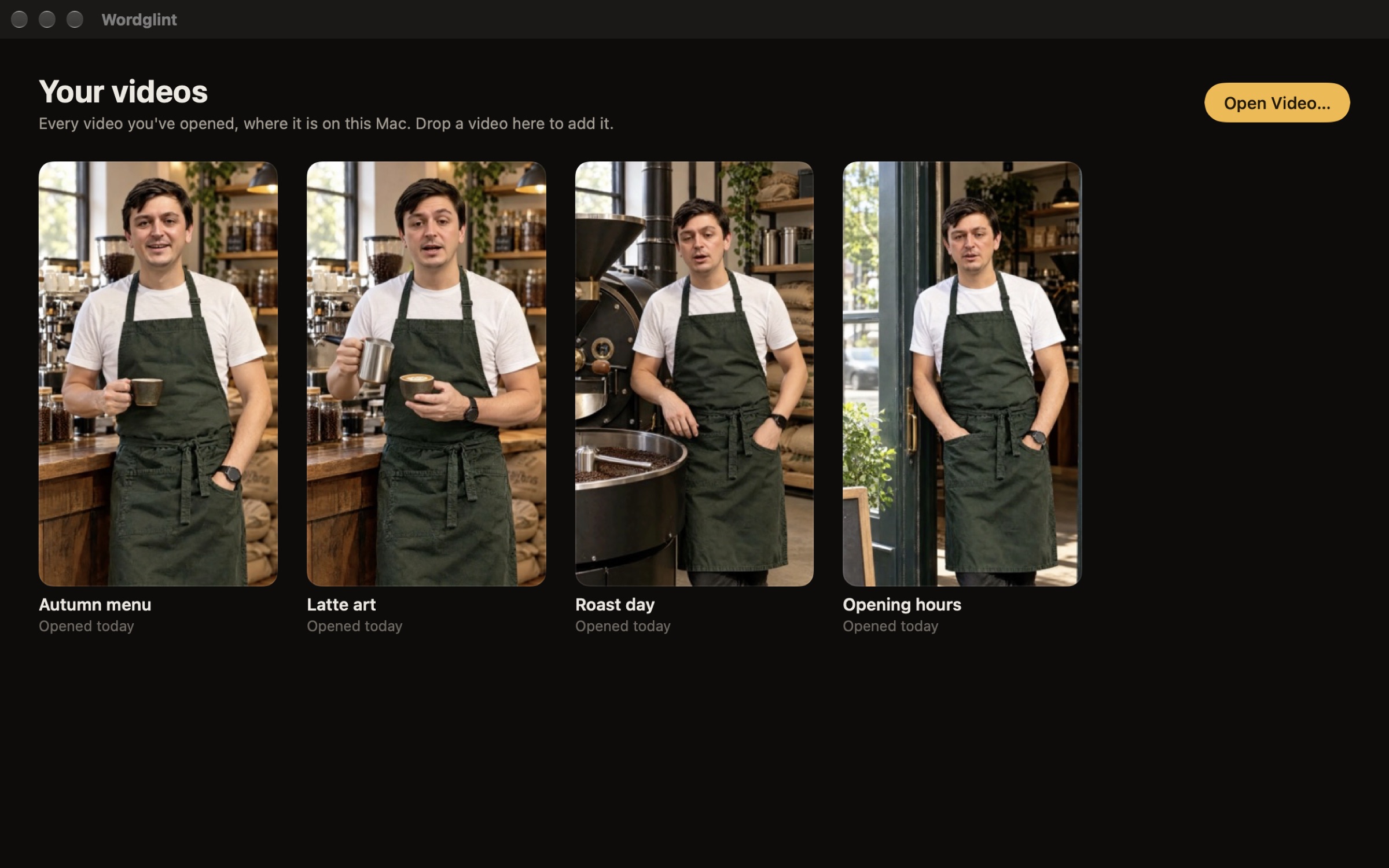
Every video you’ve captioned waits in the library. Videos stay in your folders, with your edits in a small file next to each one: double-click it in Finder to pick up where you left off.
Your videos stay on your Mac
Transcription runs on your Mac with an on-device speech model. Nothing is uploaded, there’s no account and nothing is tracked. After the one-time model download, Wordglint works offline. Privacy policy
Ready to post
Wordglint exports a new video with the captions burned in, as HEVC or H.264, ready for Reels, TikTok and Shorts. HDR video from iPhone is converted so the colors look right everywhere.
Free to try
Every feature works in the trial; exported videos carry a small Wordglint mark. Unlock Wordglint to remove it.
- Wordglint Pro, monthly
- $3.99 a month
- Wordglint Pro, yearly
- $29.99 a year
- Wordglint Lifetime
- $49.99 once
Prices in U.S. dollars; the App Store shows the price in your country. Subscriptions renew until you cancel them in your Apple Account.